Product DesignInteraction DesignIndependent Experiment

Anchor

Making one check feel finished.

Anchor is a tactile exit ritual for the moment after you leave home and wonder, “Did I turn it off?” It guides a short sequence of intentional checks, then keeps the evidence in one private, timestamped receipt.

Role

Product designer

Timeline

2026

Contribution

Product strategy, interaction design, prototyping and build

Mentor

Prof. Frank Jacob

Working mobile web app

The problem is not always forgetting. It is not trusting the memory.

A routine physical check can happen on autopilot: the stove is off, the window is closed, the door is locked. Later, under stress, the action may be difficult to recall clearly, even when it happened.

I reframed the opportunity from "help people remember more tasks" to "help one completed check receive enough attention to be remembered and revisited."

How might a digital ritual support attention and closure without pretending to replace the real-world check?

Not another checklist.

A passive tick is easy to complete and easy to forget. Anchor gives every part of the flow a distinct job.

01

Attend

A deliberate gesture slows the moment just enough to bring the physical check into focus.

02

Preserve

Optional photo proof records the physical state when the user wants stronger evidence.

03

Close

A timestamped Exit Receipt gathers the ritual into one end state instead of inviting another loop.

Five checks, one calm sequence.

The default ritual covers common leaving-the-house concerns. Steps can be removed or customized, and every step can be confirmed by interaction, by photo, or skipped.
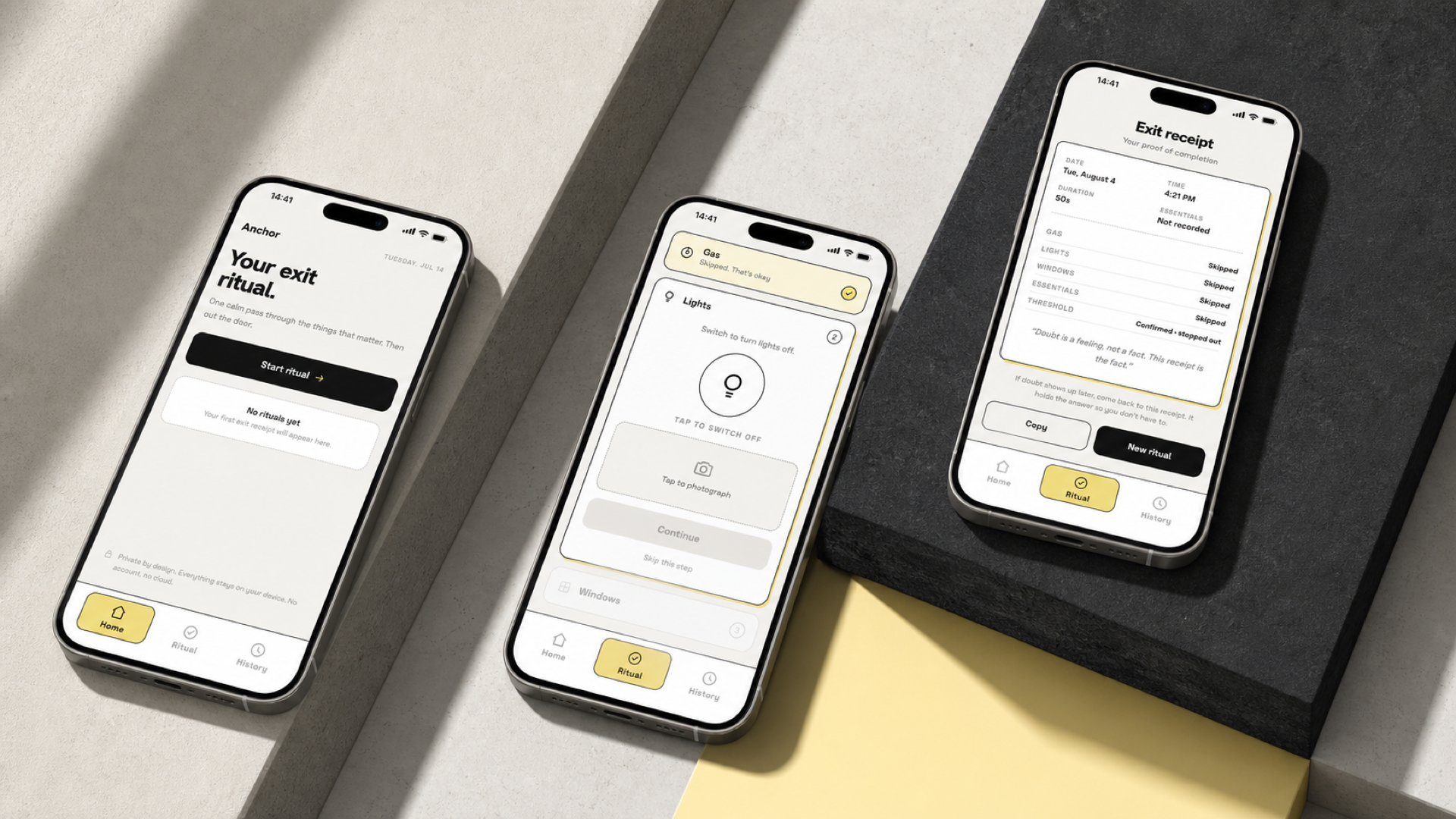
Three Anchor screens showing the home, ritual and exit receipt states

Home, active ritual and receipt, the product is structured around a clear beginning and end.

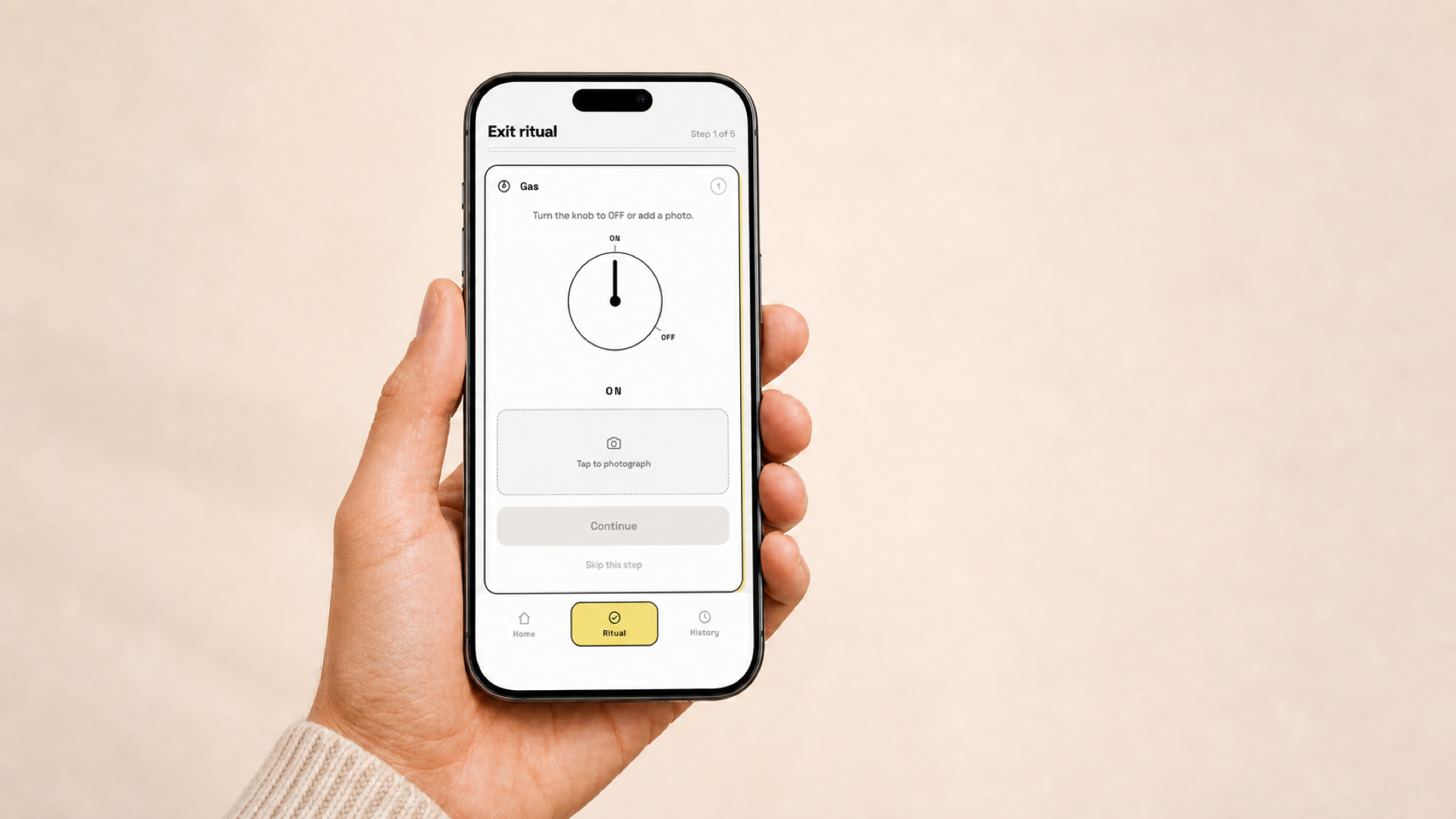
01 · Gas

Turn to off

Rotate a digital knob after checking the real stove, or add a photo.

Rotate · photograph · skip
02 · Lights

Switch off

A single press confirms the room check without extra decisions.

Tap · photograph · skip
03 · Windows

Slide closed

Drag the latch to its end-stop to create a distinct confirmation.

Slide · photograph · skip
04 · Essentials

Pack the basics

Confirm an editable list such as keys, wallet and phone.

Check items · customize
05 · Threshold

Step out once

Finish the sequence and turn the completed ritual into a receipt.

Confirm · receive receipt
Critique changed the model, not just the screens.

The first interaction direction was visually engaging, but it blurred the difference between the real action and its digital representation.

Early direction

Repeat reality on screen

Close the real window, then close a digital window. Later, the user might remember the interface more clearly than the physical action.

Refined direction

Confirm reality, preserve evidence

The physical check stays primary. The gesture marks attention, an optional photo holds evidence, and the receipt creates closure.

Physical check+Intentional confirmation+Optional evidence=Exit Receipt

Tactility makes the moment distinct.

The gestures are not simulations of household devices. They are intentional markers: movement, resistance, a visible end-stop and a short haptic response make confirmation feel different from a passive tap.

Try the window confirmation
Slide to latch

Drag the handle to the far edge. Use Enter or Space for keyboard confirmation.

Anchor gas confirmation shown in a phone held in one hand
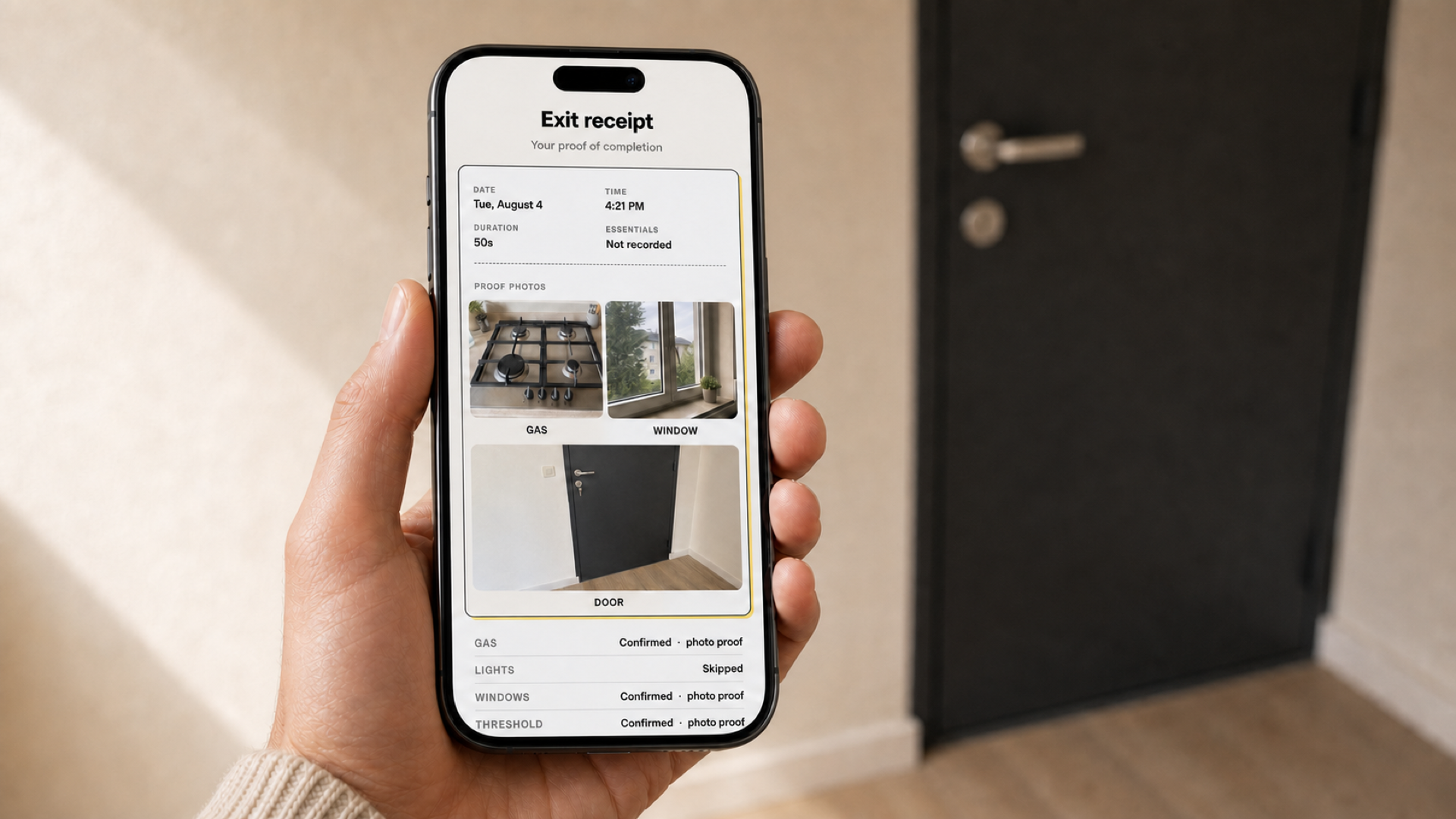
Anchor Exit Receipt with photo evidence for gas, window and door

One object to return to instead of restarting the ritual.

The Exit Receipt combines time, duration, confirmation method and any photos the user chose to take. Receipt history stays in the browser on the user's device.

Working prototype

The interaction is the proof.

The prototype is embedded below. For the intended experience, including camera input and haptics, open it on a phone.

Try a complete exit ritual

Customize the sequence, test the gesture confirmations, add optional photos and generate an Exit Receipt.

QR code for the Anchor app
Open Anchor on your phone
The linked build is designed for a mobile viewport.

Designing through a working build.

I used AI as a pair-programming and debugging partner to shorten the distance between an interaction idea and something I could feel on a phone.

I retained responsibility for the framing, product model, interaction direction, critique, ethical boundaries and final decisions. AI accelerated execution; it did not supply validation.

Frame

Define the human tension and the boundary of what the product should claim.

Build

Translate intended behavior, state and feedback into a working interaction.

Feel

Use the prototype on a phone to judge timing, gesture weight and end states.

Critique

Change what fails at the model level, then rebuild and test the interaction again.

Responsible product thinking

Reassurance can help. Repetition can also reinforce the loop.

Anchor is an interaction hypothesis, not a mental-health treatment. The prototype has not been clinically validated, and the case study does not claim that it reduces anxiety. Its design intent is narrower: support one deliberate check, preserve optional evidence and provide an explicit ending.

Current boundaryNo diagnosis, no health claim, no cloud account, and no forced completion, every step can be skipped.
Required next phaseResearch with relevant users, review with a mental-health professional, and testing for unintended reassurance-seeking behavior.

From phone to physical installation.

I adapted the working build for a Raspberry Pi kiosk and presented it as an interactive exhibit.

What Anchor demonstrates.

Framing before features

Reframing the need from remembering tasks to trusting a completed check produced a more focused product model.

Interaction as meaning

Gesture weight, feedback and end states can carry emotional intent that static screens cannot communicate.

Judgment across disciplines

I carried one idea through product definition, interface behavior, a working build and a physical exhibition format.

Next projectBunbun Robot
✕ closeExpanded case-study image